EasyHR Knowledge base EasyHR Knowledge base

  • Home
  • Knowledge Base
  • FAQ
  • Contact
Home / Recruitment / Recruitment – Approve, History

Recruitment – Approve, History

1870 views Less than a minute 4
  • Click on the Approve
  • Here you can see list of employees request for the Requisition.
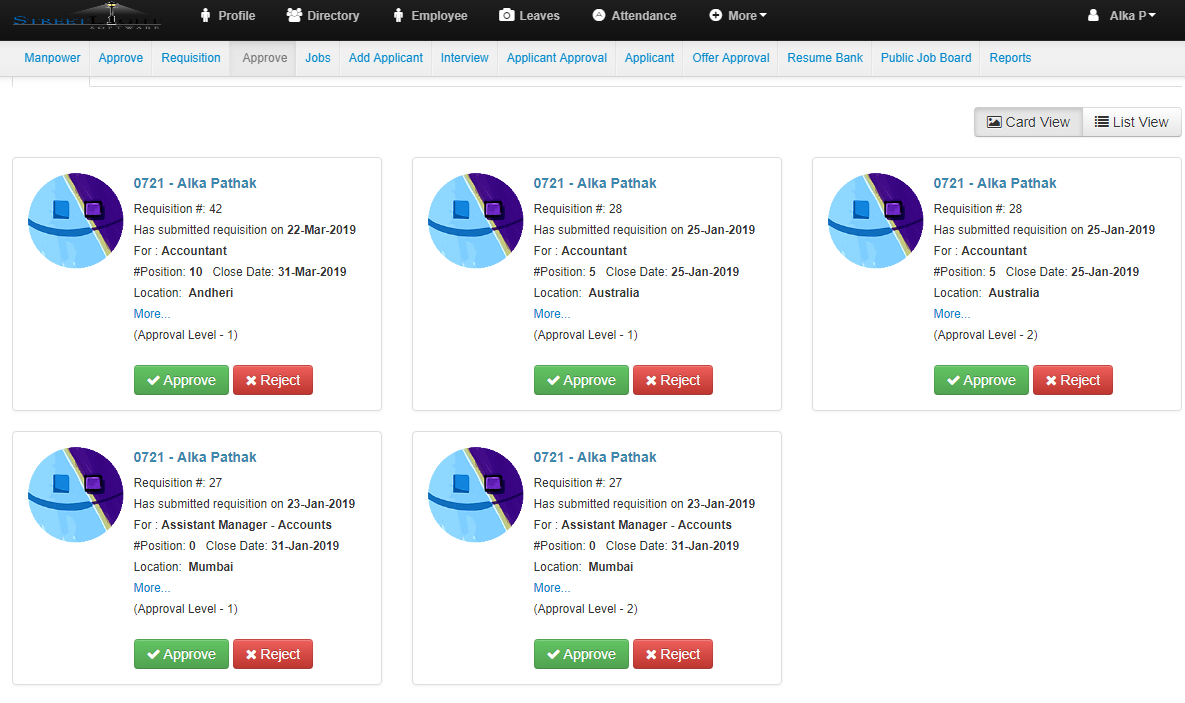
  •  To Approve the Requisition click on Approve button.
  • To Reject the Requisition click on Reject button.
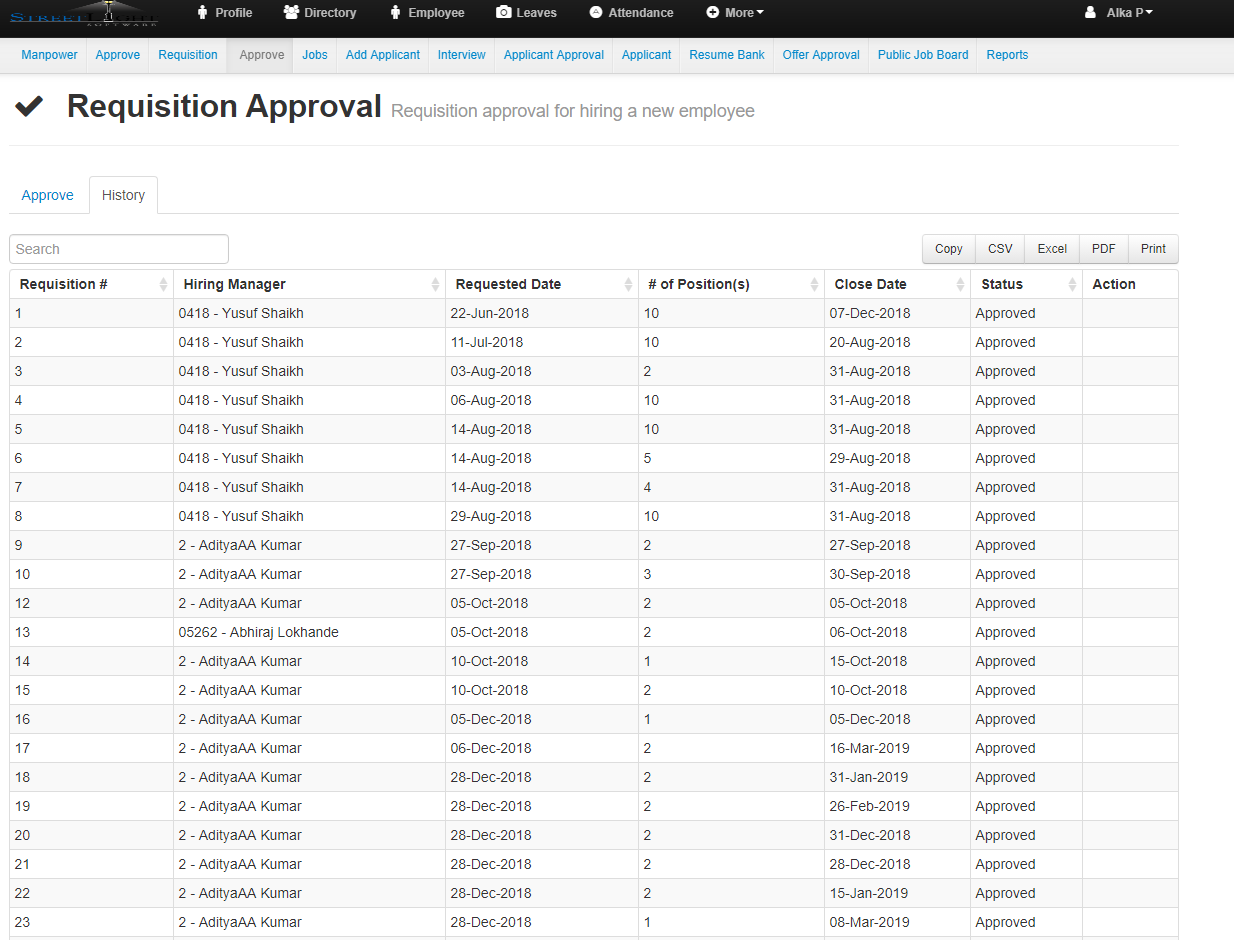
  • Now click on History

  • It shows the list of all the Requisition Approval
  • That include Requisition Number,Hiring Manager,Requested Date,Number of Position,Close Date,Status and Action.
ApproveHistoryRecruitment Recruitment

Related Articles

  • Recruitment – Jobs,Dashboard,Applicant
  • Recruitment – History
  • Recruitment – Requisition Create
  • Recruitment – Manpower

Categories

  • 10Asset
  • 10Attendance
  • 4Dashboard
  • 27Employee
  • 3Helpdesk
  • 2Import
  • 1Incident
  • 4Induction
  • 4Interview
  • 11Leaves
  • 10Loan
  • 2Login
  • 1Miscellaneous
  • 7On Boarding
  • 9Organization
  • 1Outdoor
  • 1Overtime
  • 5Payroll
  • 6Performance
  • 1Quick Links
  • 5Recruitment
  • 1Report Designer
  • 4Resignation
  • 1Rewards
  • 4Separation
  • 5Survey
  • 2Tasks
  • 5Timesheet
  • 10Training
  • 3Work from Home

Most Viewed

  • Login into Easy HR 76512
  • Login – Change Password 7882
  • Employee – Profile 4633
  • Work from Home – Report 3383
  • Exit Interview – Exit Interview Template 2783

Most Liked

  • Login into Easy HR 82
  • Incident 17
  • Leaves – Apply 16
  • Login – Change Password 12
  • Import – Bulk Upload in Easy HR 8

Social

Article Categories

Asset Attendance Dashboard Employee Helpdesk Import Incident Induction Interview Leaves Loan Login Miscellaneous On Boarding Organization Outdoor Overtime Payroll Performance Quick Links Recruitment Report Designer Resignation Rewards Separation Survey Tasks Timesheet Training Work from Home
Flatbase by NiceThemes © 2025. — Powered by WordPress.