EasyHR Knowledge base EasyHR Knowledge base

  • Home
  • Knowledge Base
  • FAQ
  • Contact
Home / Recruitment / Recruitment – Jobs,Dashboard,Applicant

Recruitment – Jobs,Dashboard,Applicant

2610 views Less than a minute 4
  • Click on Jobs
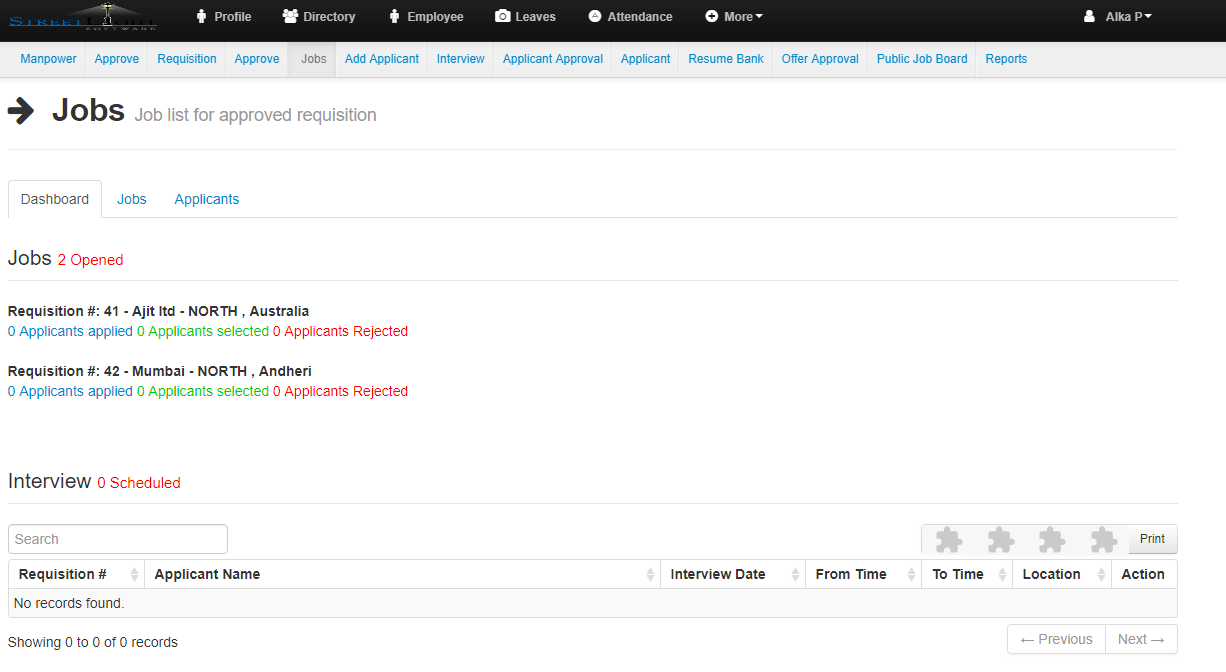
  • The Dashboard will be opened

  • In dashboard you can see the number of jobs opened,Requisition Details(Location,company,address)
  • Number of applicant apply, number of applicant got selected and number of applicant got rejected
  • And also the details of scheduled interview(Requisition No,Applicant Name,Interview Date,From time,To Time,Location and Action).
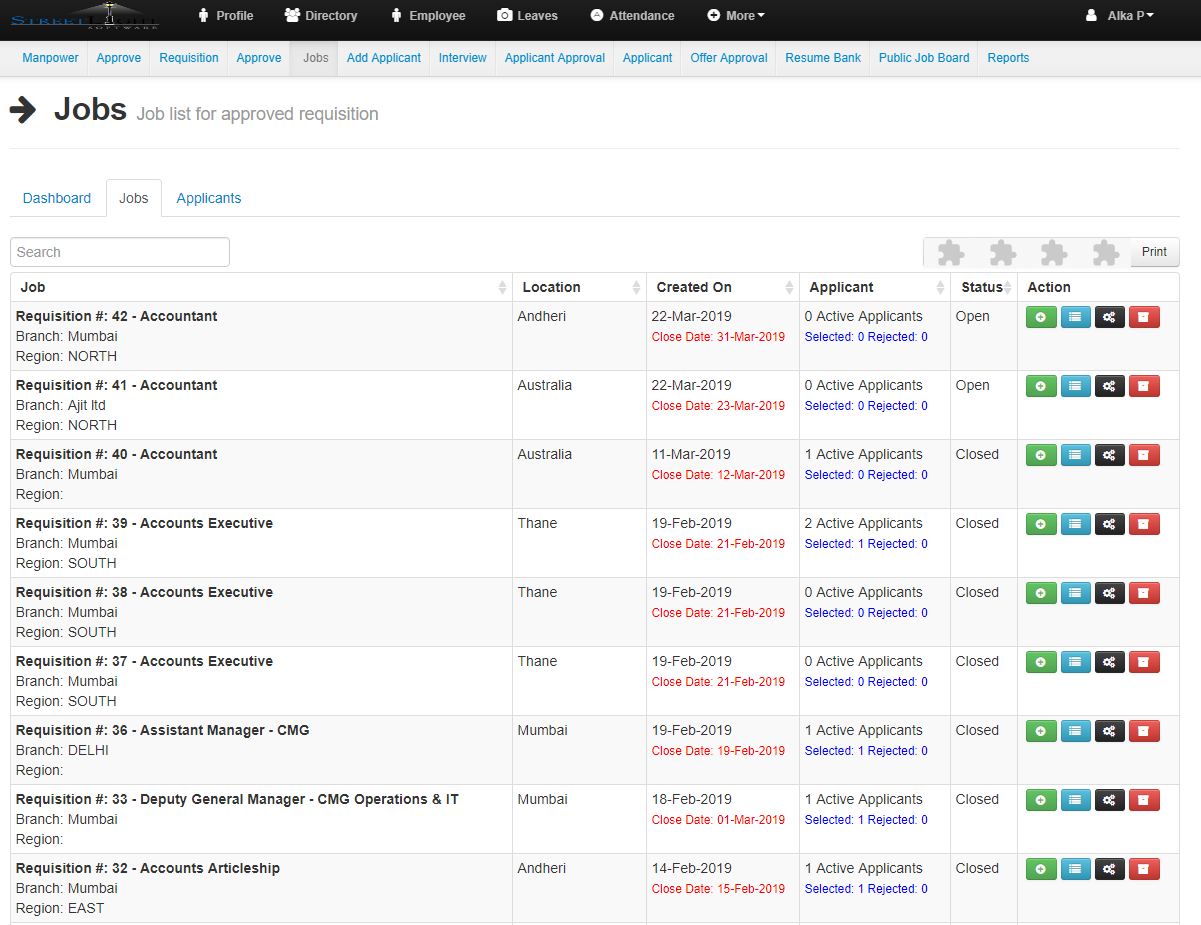
  • Now click on Jobs.

  • In this you can see list of all the jobs.
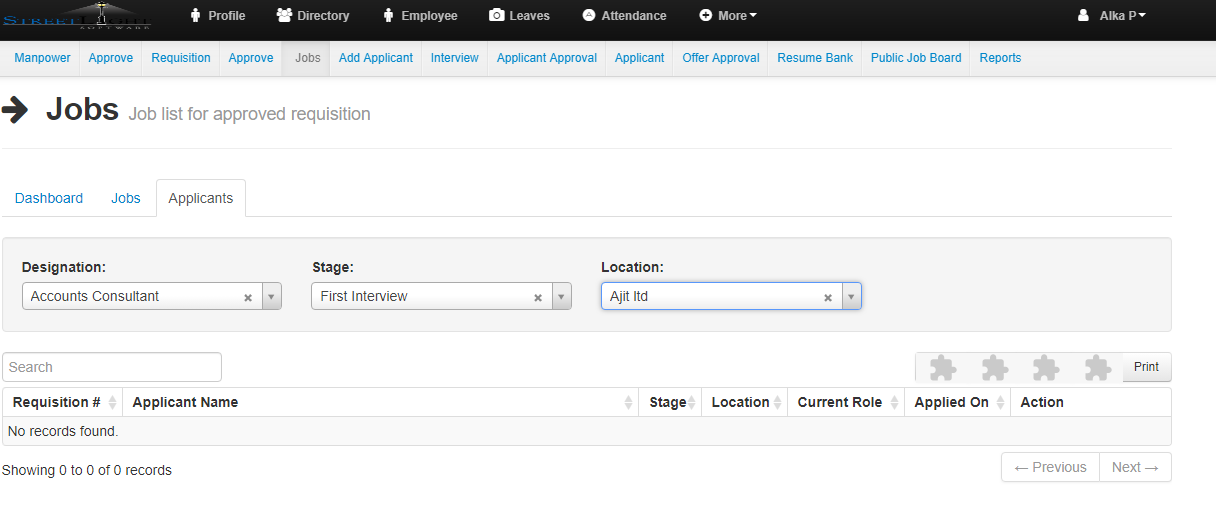
  • Now click on Applicant


  • After selecting the Designation,Stage and Location. you will get the detail list of applicant.


ApplicantDashboardJobs Recruitment

Related Articles

  • Recruitment – Approve, History
  • Recruitment – History
  • Recruitment – Requisition Create
  • Recruitment – Manpower

Categories

  • 10Asset
  • 10Attendance
  • 4Dashboard
  • 27Employee
  • 3Helpdesk
  • 2Import
  • 1Incident
  • 4Induction
  • 4Interview
  • 11Leaves
  • 10Loan
  • 2Login
  • 1Miscellaneous
  • 7On Boarding
  • 9Organization
  • 1Outdoor
  • 1Overtime
  • 5Payroll
  • 6Performance
  • 1Quick Links
  • 5Recruitment
  • 1Report Designer
  • 4Resignation
  • 1Rewards
  • 4Separation
  • 5Survey
  • 2Tasks
  • 5Timesheet
  • 10Training
  • 3Work from Home

Most Viewed

  • Login into Easy HR 81882
  • Login – Change Password 8912
  • Employee – Profile 5260
  • Work from Home – Report 3839
  • Exit Interview – Exit Interview Template 3435

Most Liked

  • Login into Easy HR 89
  • Incident 17
  • Leaves – Apply 16
  • Login – Change Password 13
  • Import – Bulk Upload in Easy HR 8

Social

Article Categories

Asset Attendance Dashboard Employee Helpdesk Import Incident Induction Interview Leaves Loan Login Miscellaneous On Boarding Organization Outdoor Overtime Payroll Performance Quick Links Recruitment Report Designer Resignation Rewards Separation Survey Tasks Timesheet Training Work from Home
Flatbase by NiceThemes © 2026. — Powered by WordPress.